
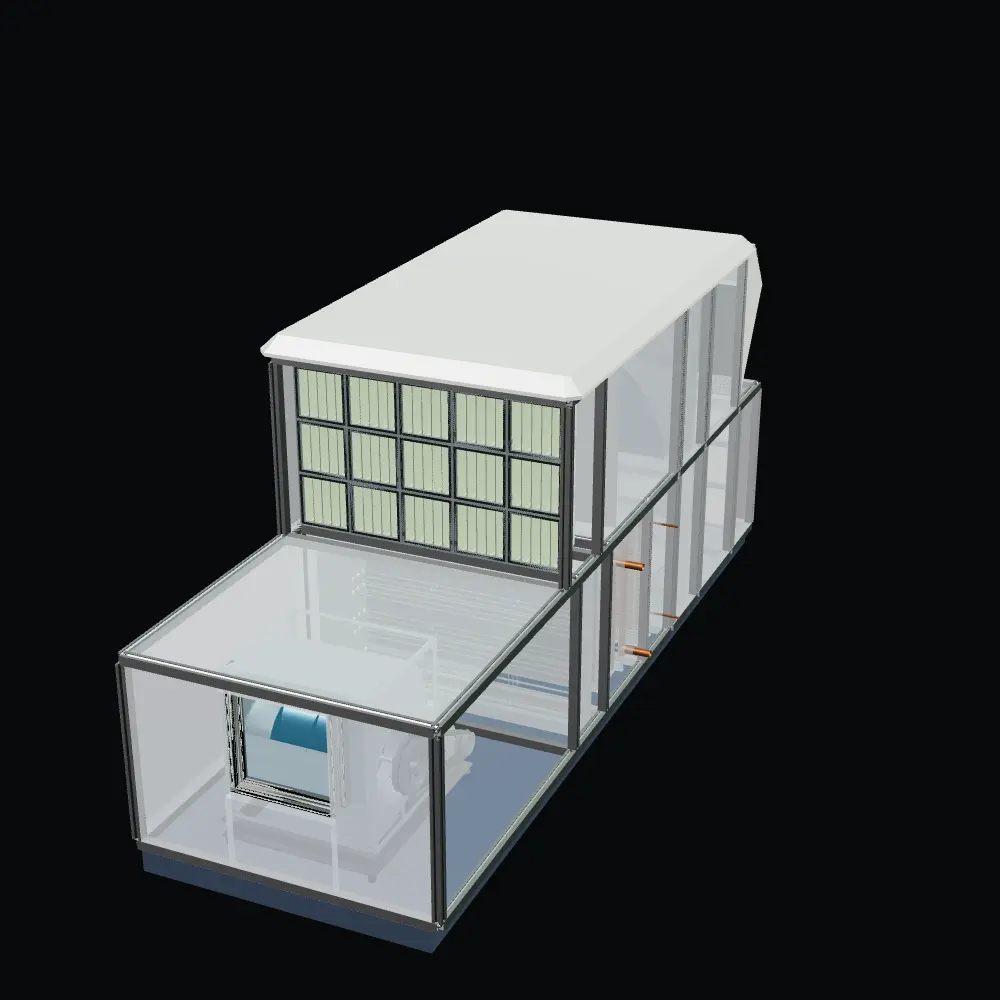
Built for AHU manufacturers
AHU selection.
In a new dimension.
3D AHU selection software to configure air handling units, compare supplier results and generate technical reports. One browser-based workflow, built around your unit range.
Choose a time on Microsoft Bookings. Discuss your units, suppliers and required outputs.
Configure in 3D
See the unit as you build it.
Work with supplier data
Evaluate components at your duty point.
Prepare the handover
Technical PDF reports and DXF drawings.
Scroll to look inside
The tutorial · 1:34 · narrated
See it
come together.
A unit takes shape. Components find their place. Your selection becomes a technical story you can share.
Follow a complete selection in AirSelect3D, from the 3D layout to supplier results and technical documentation. Jump to any step below the film.
Explore the workflow
Make the selection.
See each decision.
Step inside the interface, from the first design conditions to the technical handover. Choose a step to see it in the product.
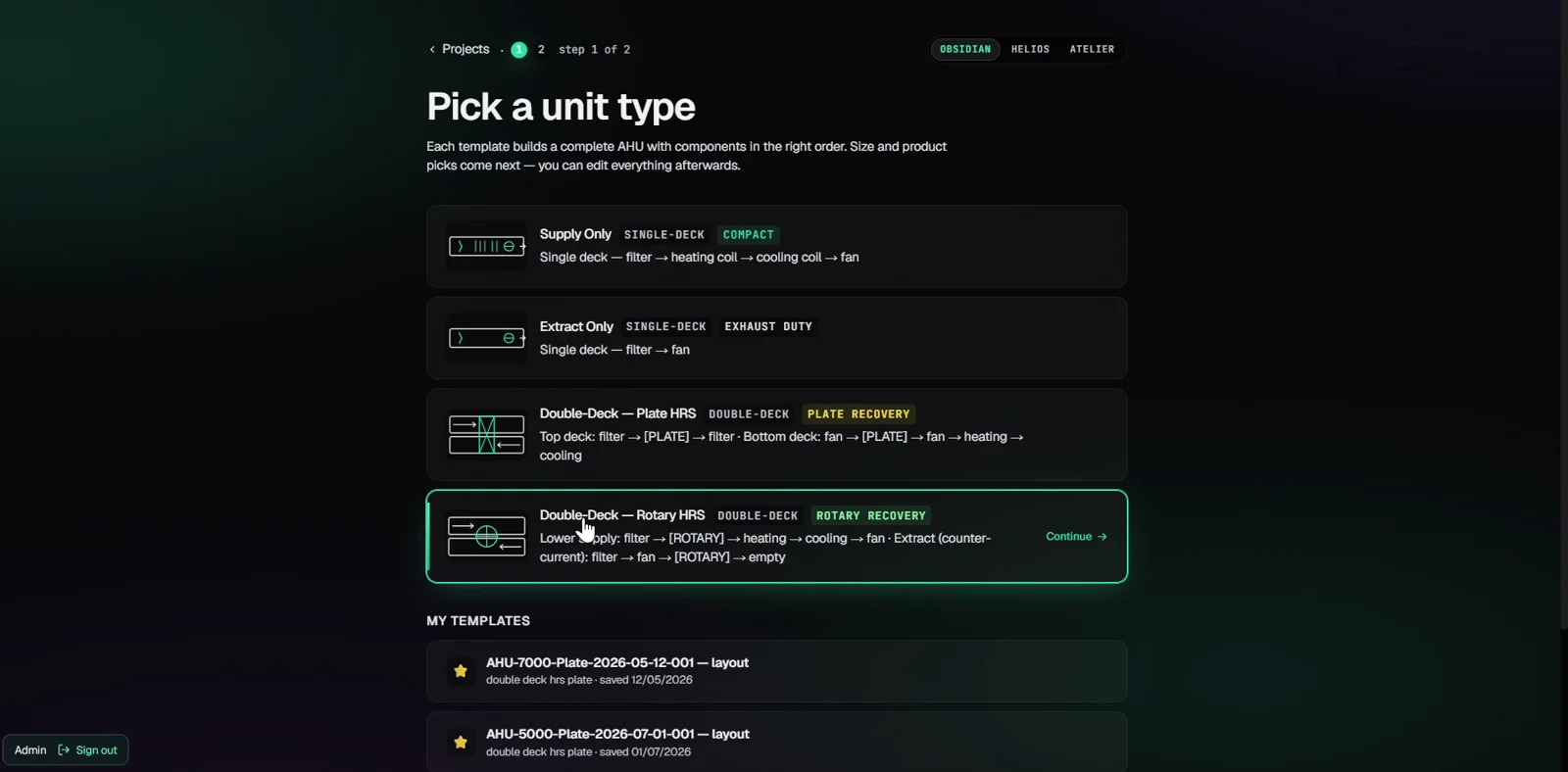
Step 01
Configure the unit
Set the unit arrangement and design conditions in the 3D workspace.
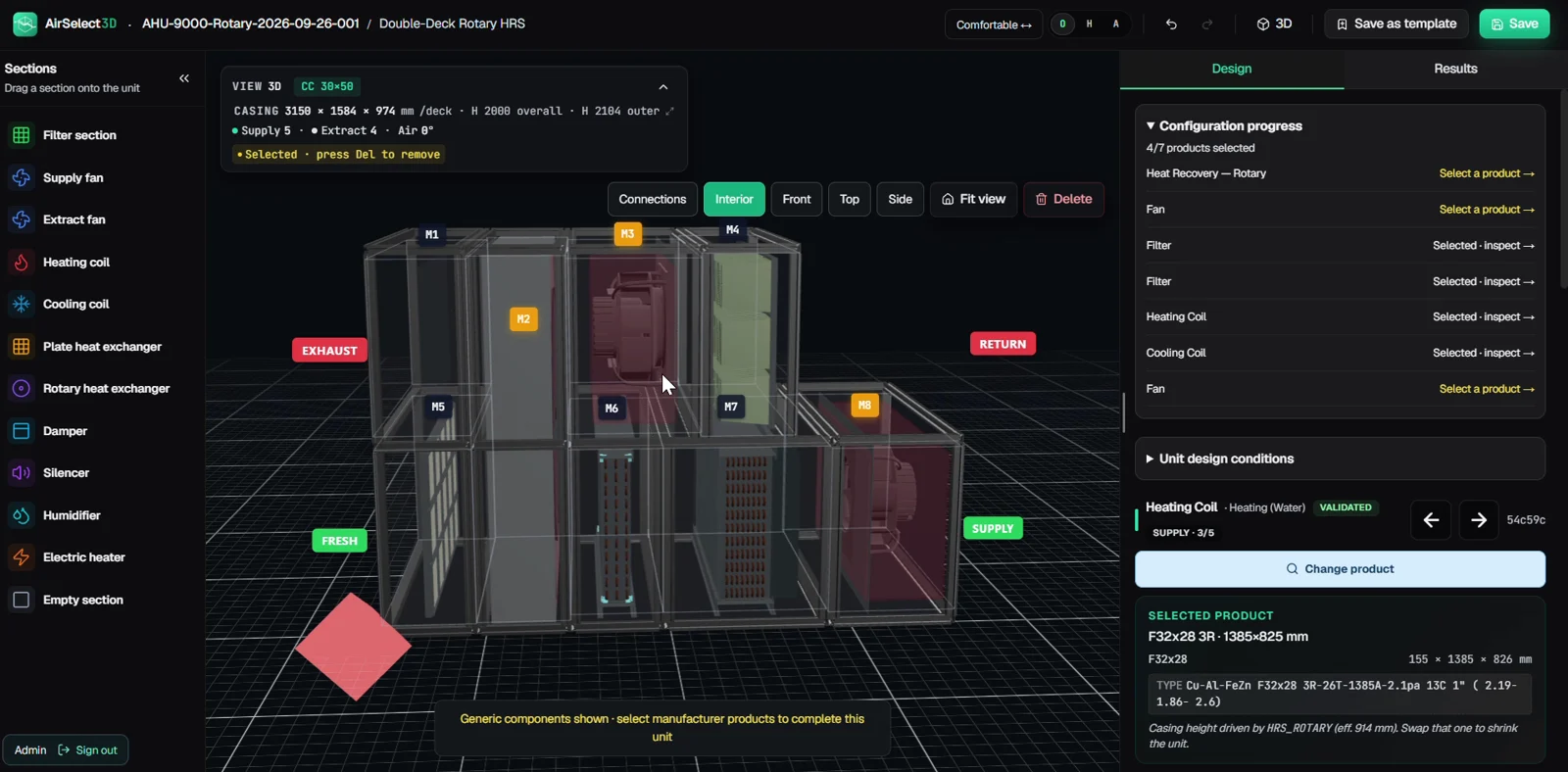
Step 02
Select components
Compare supplier performance and dimensions at your operating point before choosing components.
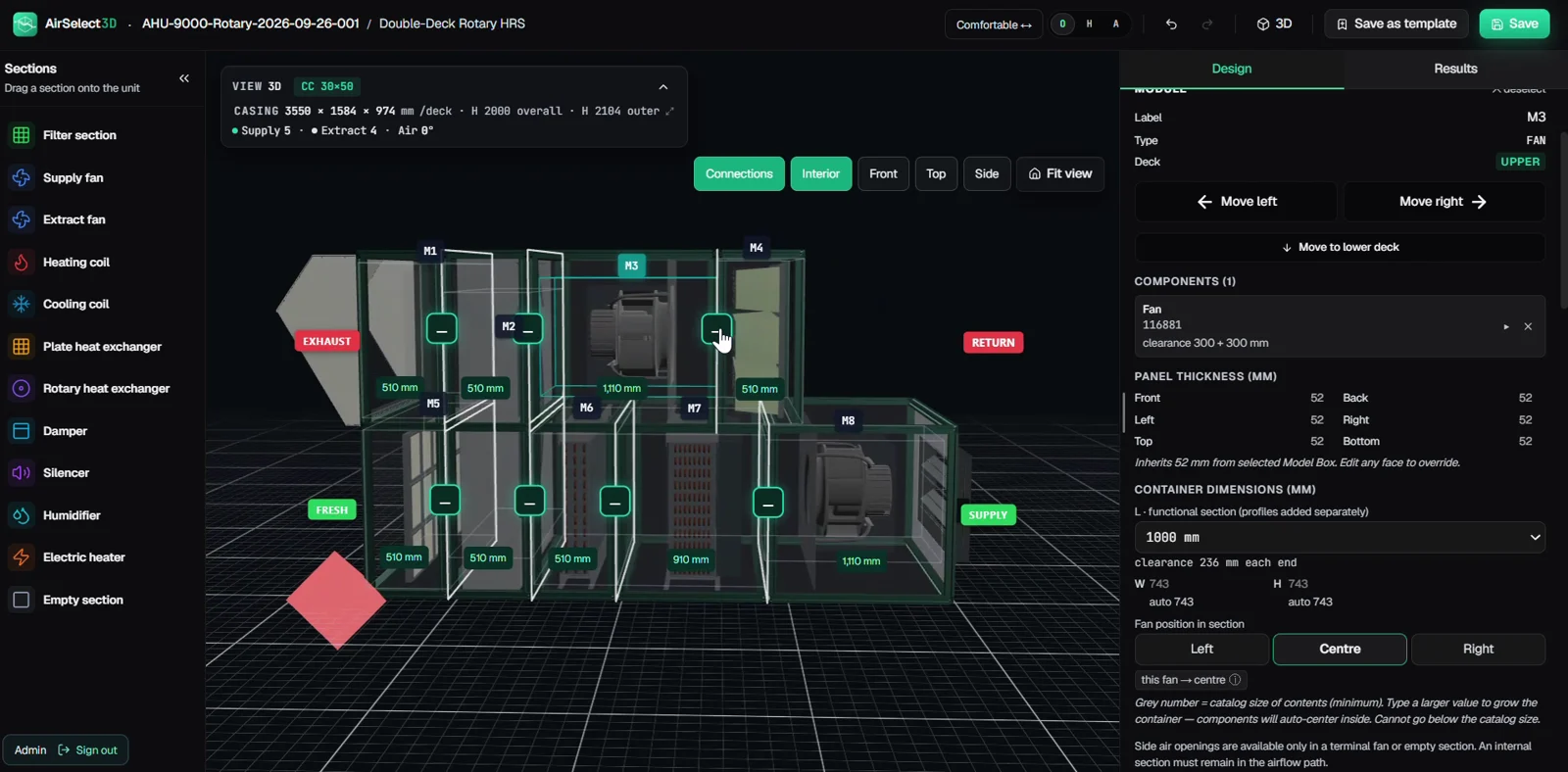
Step 03
Prepare connections
Activate Connections to review section connections and prepare the unit for transport.
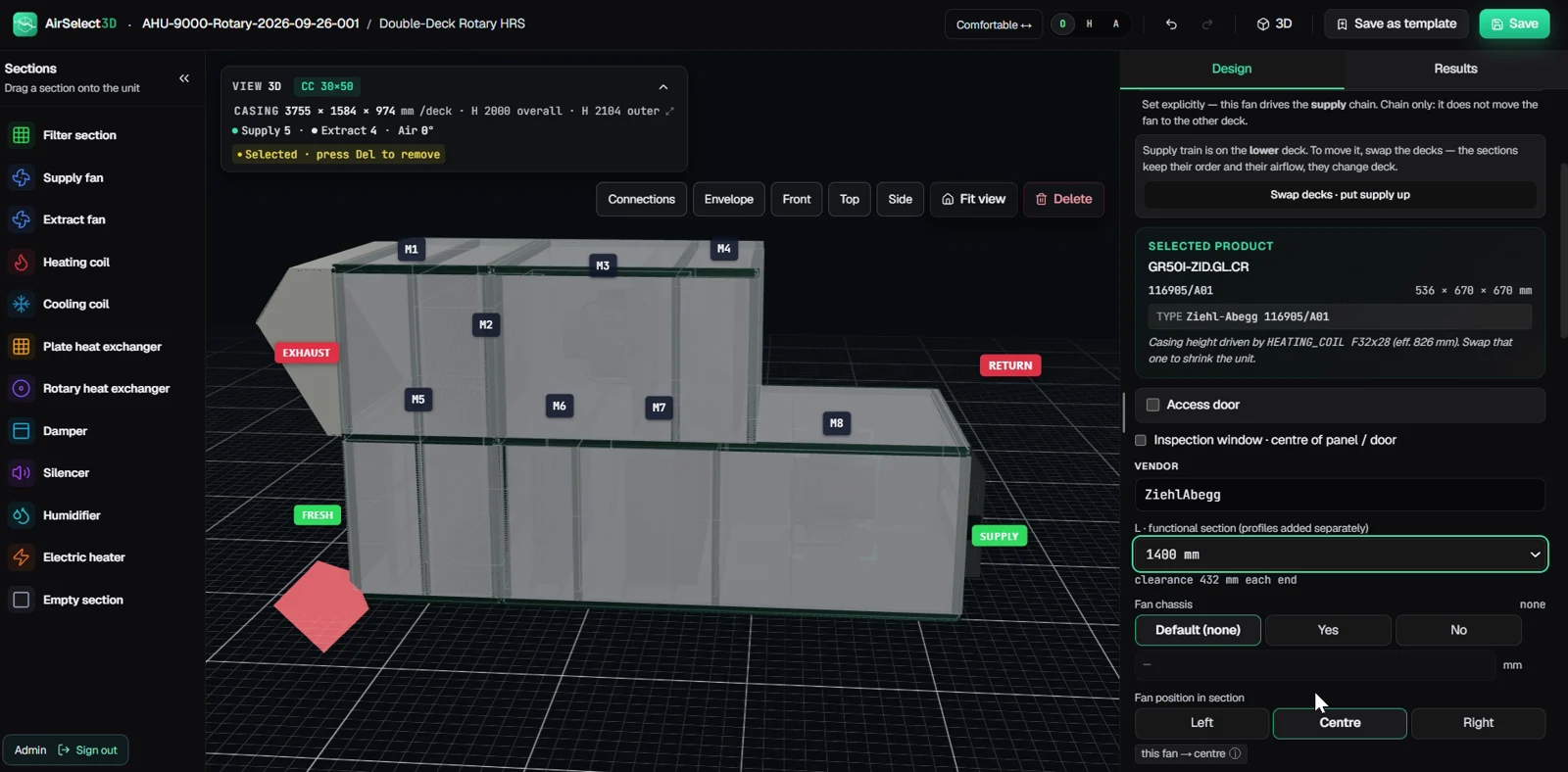
Step 04
Add accessories
Configure section accessories alongside the selected components.
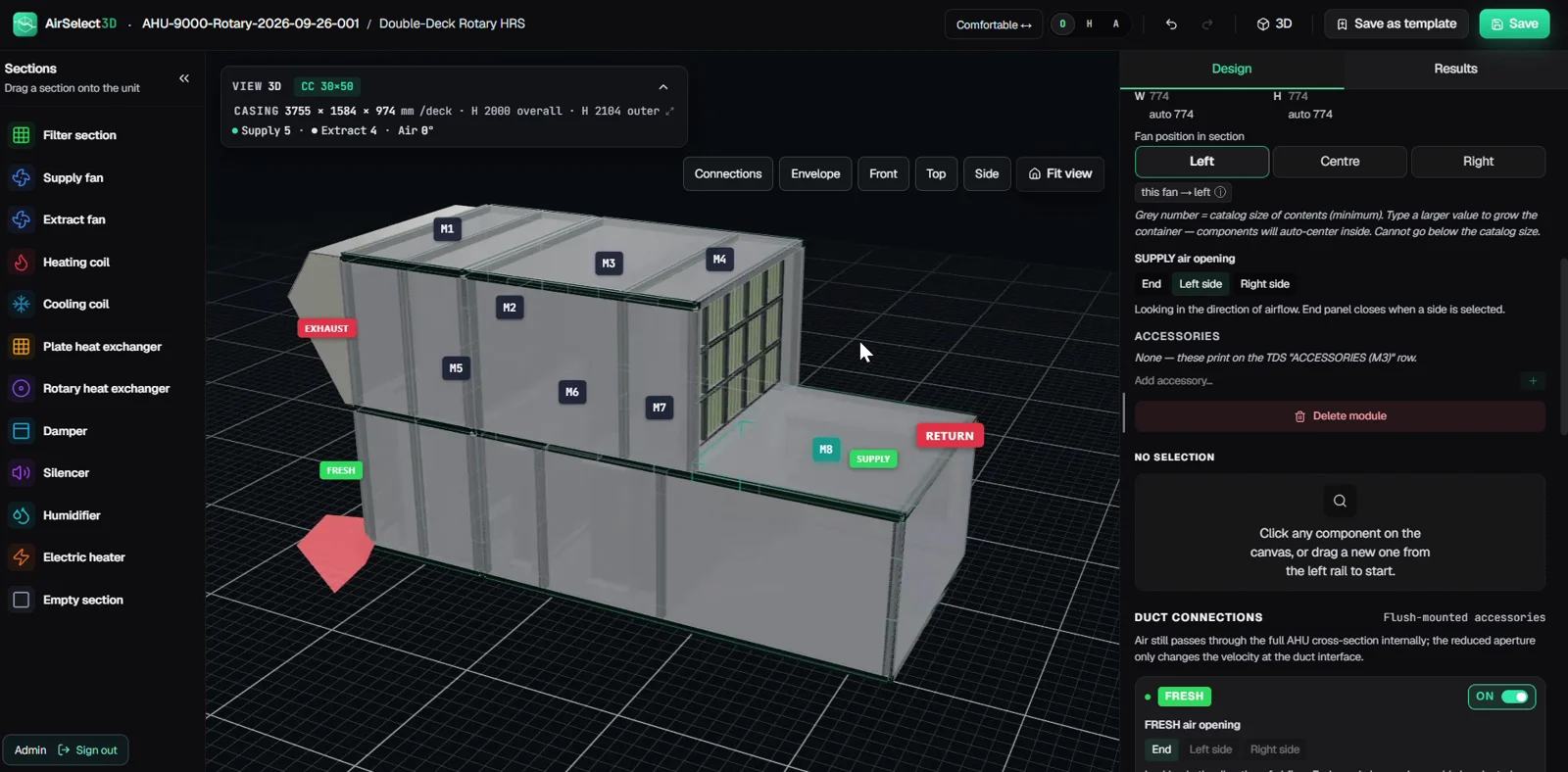
Step 05
Add a weather roof
Configure the weather roof and inspect its position on the assembled unit.
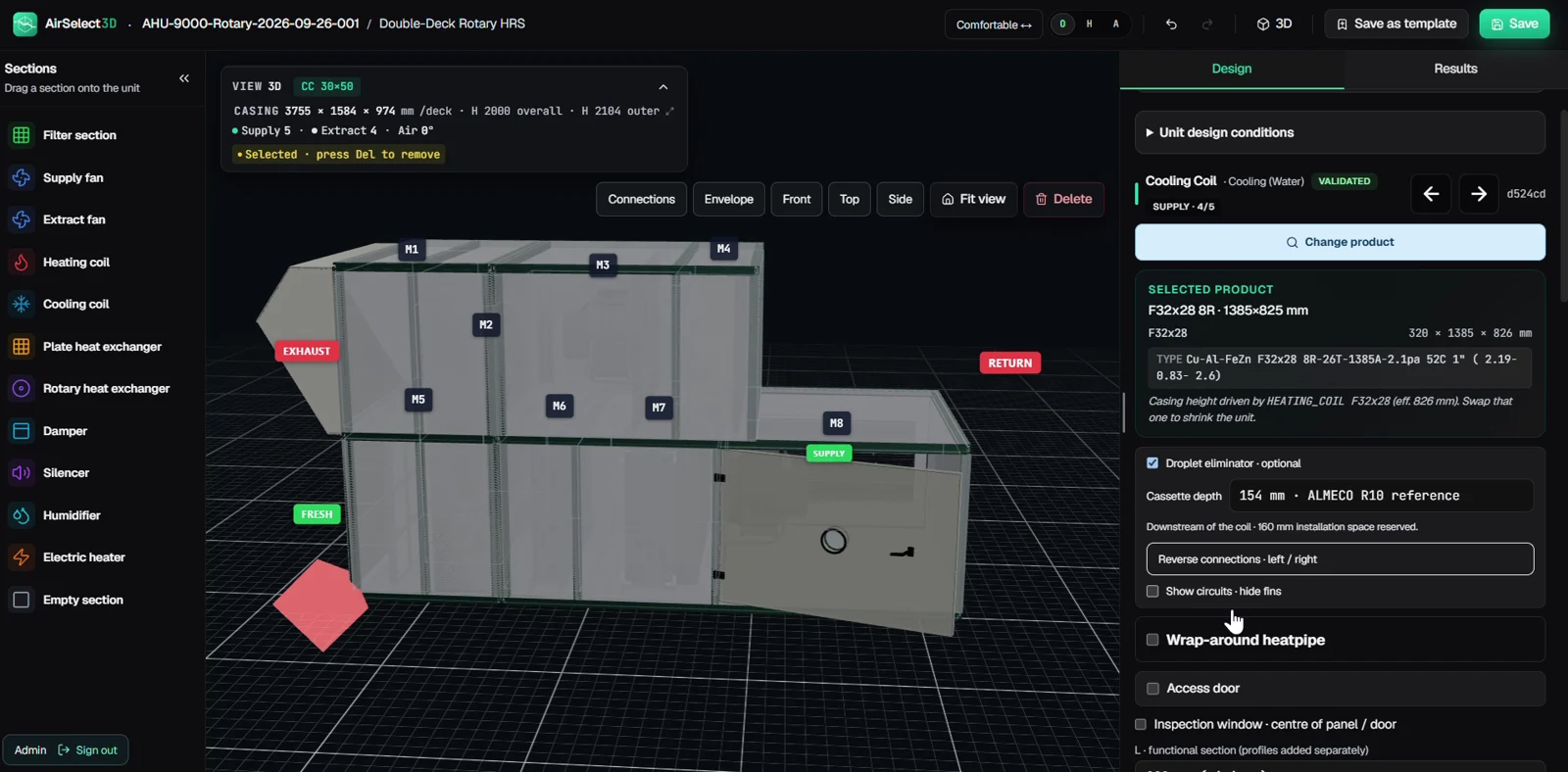
Step 06
Add inspection access
Place inspection doors and viewing windows (hublots), then review access in the 3D model.
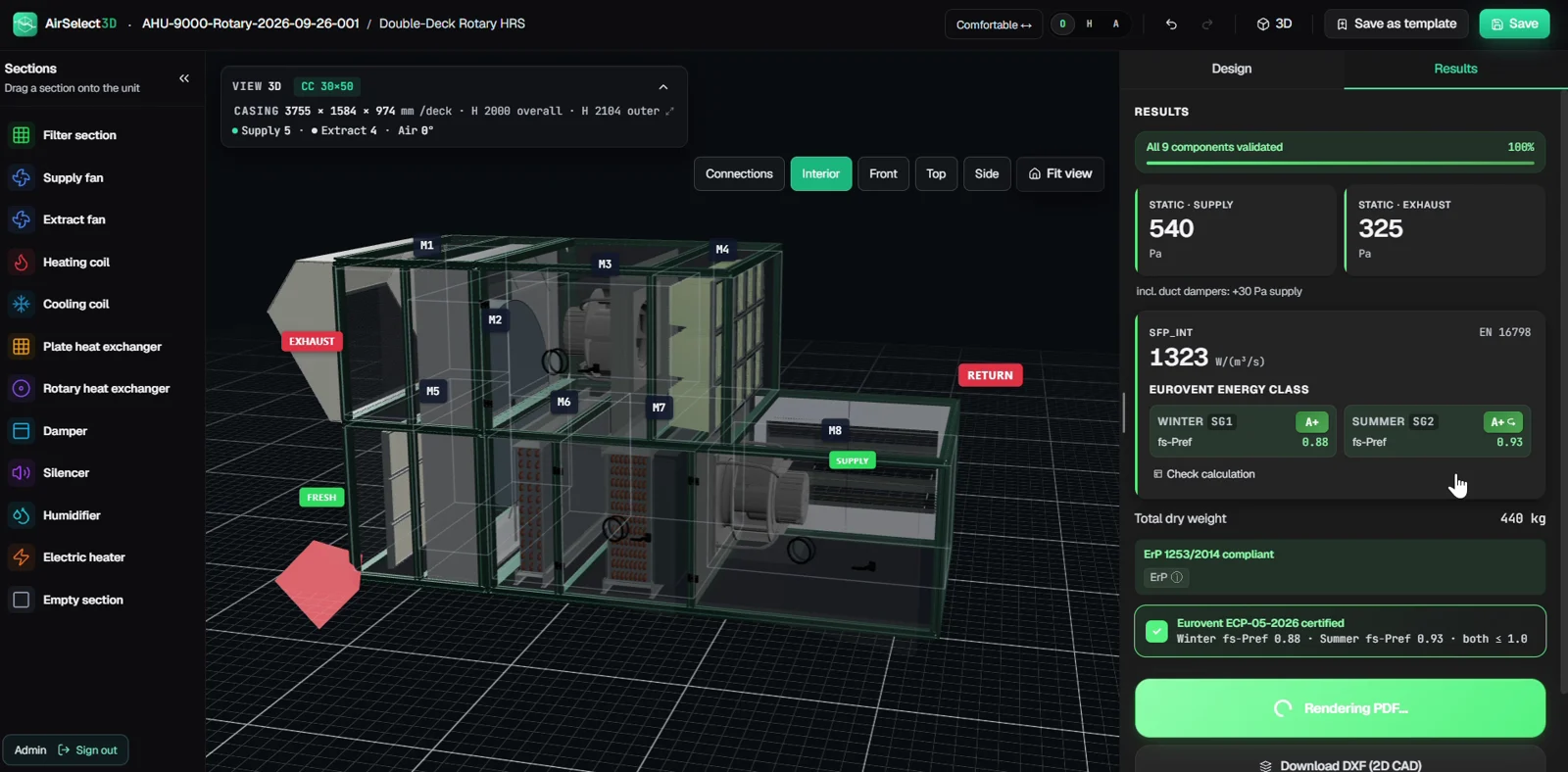
Step 07
Review performance
Review calculated performance and the assembled unit before preparing the technical handover. Example results are not a certification.
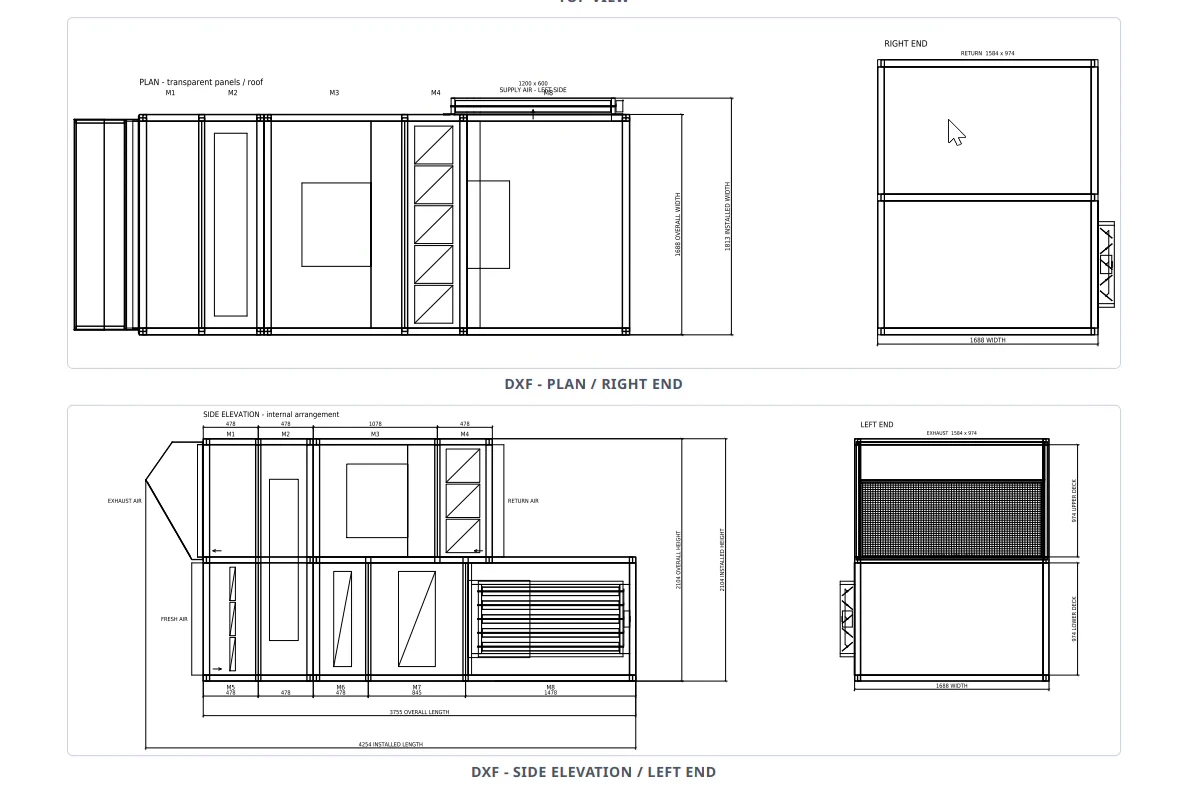
Step 08
Deliver the drawings
Review the printout with DXF plan, end views and dimensioned side elevation. Open the image to inspect the drawing detail.
Supplier integrations
Built around the components
your factory uses.
Bring supplier calculations and catalog data into the selection workflow. These existing integrations are a starting point for discussing your component range.
Product-range coverage, technical suitability and supplier licensing are confirmed for each project. Supplier names identify integration examples and do not imply endorsement.
Discuss your supplier listReports and drawings
Open the output.
Review the detail.
Every selection produces its technical report in seconds: specifications, dimensioned plans, supplier datasheets with curves, the psychrometric chart and Eurovent data. Select a page to read it.
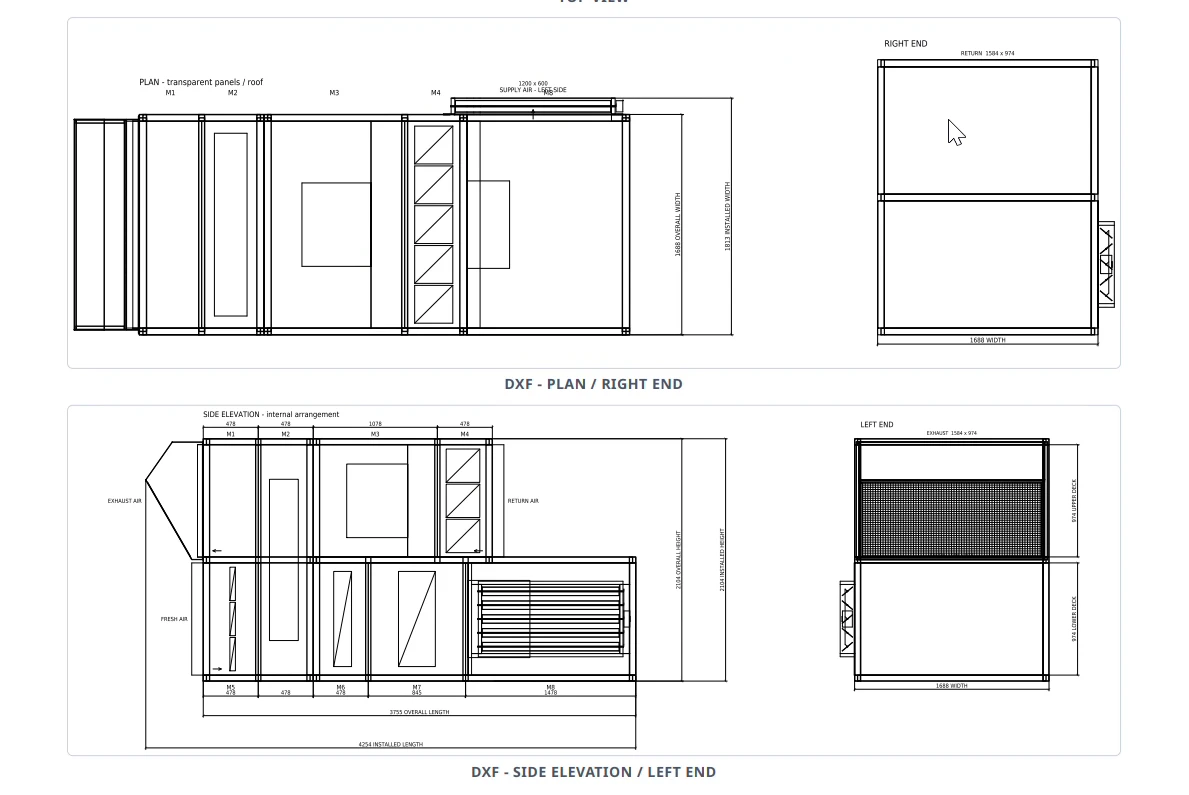
Two practical deliverables
- Technical report · PDF
- Unit specifications, selected component results and drawings for review.
- General-arrangement drawing · DXF
- A dimensioned drawing for your CAD workflow, based on the unit geometry.
Sample results describe one configuration. Your report content depends on the selected unit and available component data.
Engineering checks
See the result.
Understand the selection.
Review the effect of your component choices on energy, pressure and acoustics before preparing the technical submission.
Calculated indicators support engineering review. Eurovent certification is a separate assessment by the certification body; a software calculation does not grant certification.
- Pressure and specific fan power
- Review pressure losses, selected fan duty and calculated SFP as the component selection changes.
- Winter and summer performance
- Inspect seasonal results and calculated Eurovent energy-class indicators alongside the design conditions.
- Acoustic results
- Review octave-band sound-power results where the selected components provide the required source data.
- Technical report
- Bring the selected components, operating conditions and performance results together for engineering review.
Before we talk
A few useful
answers.
The product, the project and the details that matter to your team.
Talk to us about your requirementsRead the manufacturer’s selection checklist →What is AHU selection software, and who is AirSelect3D for?
AHU selection software helps engineering and sales teams configure an air handling unit for a specified airflow and operating conditions, evaluate components and prepare selection documents. AirSelect3D is designed for manufacturers: it brings 3D unit configuration, supplier component selection and technical PDF reports and DXF drawings into a browser-based workflow built around your unit range.
Which suppliers can we work with?
Current integration examples include Camfil, Ziehl-Abegg, Kruger, Nicotra Gebhardt, Comefri, Friterm, Hoval, Östberg and DRI EcoFresh. Availability depends on the required product family, supplier licensing and the agreed deployment. We review your supplier list before defining the project.
Which reports and drawings can we export?
The demonstrated workflow produces technical PDF reports and DXF general-arrangement drawings. You can explore example report pages above. Pricing sheets, bills of materials, BIM formats and production-specific outputs can be discussed as custom requirements and must be confirmed in the quotation.
Does AirSelect3D meet Eurovent certification requirements?
Yes. AirSelect3D is built around the Eurovent technical rules for air handling units (AHUs) and is already used by Eurovent-certified manufacturers.
How much does AirSelect3D cost?
AirSelect3D is sold exclusively by quotation. The scope, price, payment schedule, support and any recurring services are agreed in writing before you order. Email sales@airselect3d.com, with your unit range, supplier list and required outputs to request a proposal.
Can the workflow be tailored to our factory?
Yes. We can assess your unit ranges, report layouts, pricing rules, supplier integrations and production handover requirements. The agreed quotation identifies the features to be delivered, the validation process and the project schedule.
Who provides the software and handles enquiries in Europe?
AirSelect3D is provided by 3D Selection Software LLC, a Wyoming company in the United States. Our Sales Office — Europe is based in Germany, with Michael Bender as the sales contact. For product demonstrations, sales and quotations, email sales@airselect3d.com. For support, legal or privacy enquiries, email contact@airselect3d.com directly.
Your factory. Your requirements.
Let’s build your
selection workflow.
See AirSelect3D in a demonstration and discuss a deployment around your production. Projects are quoted individually after a review of your requirements.
Pricing tools, bill-of-materials outputs, IFC/BIM, ERP connections and production drawings can be discussed as custom requests, subject to feasibility and an agreed quote.
Sales Office — Europesales@airselect3d.comA project built together
Share your requirements
Your unit range, suppliers, reference selections and required outputs.
Agree the scope and quote
Confirm technical feasibility, licensing, validation criteria and commercial terms.
Validate with your team
Review representative units and outputs against the agreed project requirements.